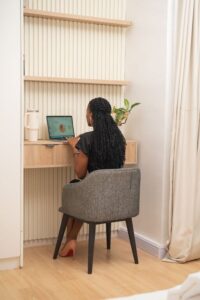
Tips for Creating a Productive Home Office Space
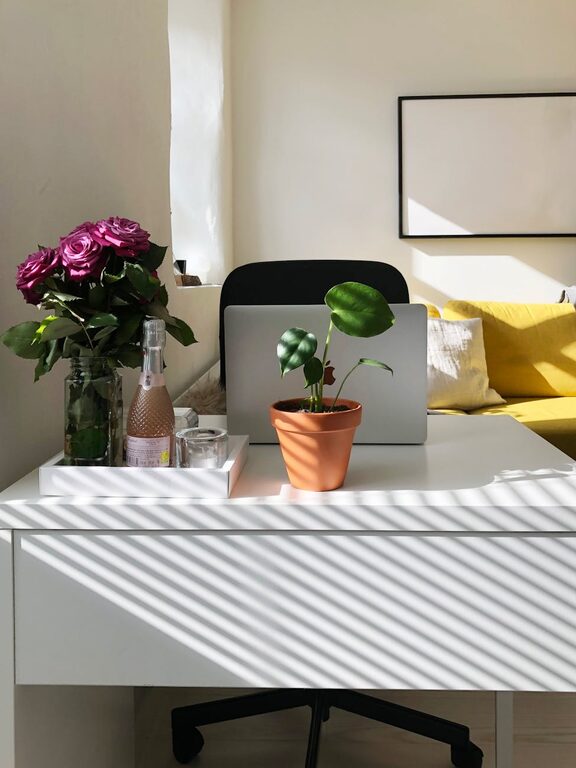
Creating a productive home office space is essential for anyone working remotely or needing a dedicated area for focused tasks. A well-designed workspace can enhance your efficiency, reduce distractions, and make working from home more enjoyable. Whether you have a small nook or an entire room, the right environment can make a significant difference. Here are some helpful tips to set up and maintain a productive home office.
Choose the Right Location
The first step in creating a productive home office is selecting the best spot in your home. Ideally, this should be a quiet area where you can focus without frequent interruptions.
– Separate from common areas: Avoid working in places with high foot traffic like the living room or kitchen.
– Good natural light: Position your workspace near a window to take advantage of natural light; it helps reduce eye strain and boosts mood.
– Privacy and minimal noise: If possible, choose a room with a door for added privacy. Noise-canceling headphones can help if background noise is unavoidable.
Invest in Comfortable and Functional Furniture
Your furniture choices greatly affect comfort and productivity. Consider these aspects:
– Ergonomic chair: A chair that supports your back and promotes good posture helps prevent discomfort during long hours.
– Appropriate desk height: Ensure your desk allows your arms to bend at a 90-degree angle while typing.
– Desk space: Choose a desk with enough surface area for your computer, notebooks, and other essentials.
– Storage solutions: Incorporate shelves or drawers to keep supplies organized and within reach.
Optimize Lighting
Lighting plays a crucial role in maintaining focus and reducing fatigue.
– Natural vs. artificial light: Natural light is best, but supplement with adjustable desk lamps or overhead lighting when needed.
– Avoid glare: Position screens perpendicular to windows to prevent glare on your monitor.
– Use warm tones: Soft, warm lighting can create a cozy atmosphere that reduces eye strain.
Organize Your Workspace
A cluttered desk can lead to a cluttered mind. Keeping your home office tidy encourages productivity.
– Declutter regularly: Remove unnecessary items and file papers promptly.
– Use organizers: Desk organizers, cable management systems, and trays help keep everything in order.
– Digital organization: Maintain a clean digital workspace by organizing files into folders and deleting unused documents.
Set Up Technology Efficiently
Technology is at the core of most home offices. Make sure your setup supports your work requirements.
– Reliable internet: A strong and stable internet connection is vital for video calls and cloud-based work.
– Quality equipment: Invest in a good quality monitor, keyboard, mouse, and webcam to facilitate comfortable work.
– Backup power: Consider a UPS (uninterruptible power supply) to protect your devices from power outages.
Personalize Your Space
Adding personal touches can make your office feel inviting and help you stay motivated.
– Incorporate plants: Indoor plants improve air quality and add a refreshing touch.
– Artwork and décor: Choose items that inspire you, like photos, art prints, or motivational quotes.
– Comfort items: Keep a cozy blanket or a small cushion to make your chair more comfortable.
Establish Boundaries and Routine
Working from home can blur the lines between work and personal life. Creating habits and boundaries supports productivity.
– Set working hours: Define a clear schedule and stick to it as much as possible.
– Regular breaks: Use techniques like the Pomodoro method (25 minutes work, 5 minutes break) to maintain focus.
– Communicate boundaries: Let family or housemates know your work hours to minimize interruptions.
Keep Ergonomics in Mind
Long hours at a desk can lead to discomfort or health issues if ergonomics are ignored.
– Monitor height: Keep your computer screen at eye level to avoid neck strain.
– Keyboard and mouse placement: Position them close enough to prevent stretching.
– Posture reminders: Take frequent pauses to stretch and adjust posture.
Maintain a Clean Air Environment
Air quality affects concentration and well-being.
– Ventilate regularly: Open windows if possible to allow fresh air in.
– Air purifiers: Consider using an air purifier to reduce dust and allergens.
– Keep plants: As mentioned, plants can improve air quality naturally.
Evaluate and Adjust Over Time
Finally, recognize that creating your ideal home office is an evolving process.
– Seek feedback from yourself: Notice when something feels off and make adjustments.
– Stay updated: As work needs change, update your setup accordingly.
– Experiment: Don’t hesitate to move furniture or try new tools to find what works best.
—
By carefully designing your home office with comfort, organization, and focus in mind, you can create a space that supports daily productivity. With these tips, you’ll build an environment where work feels efficient and enjoyable. Happy creating!